
Dev: Requirements
The helper object is only available in themes where the R+ Store Locator Helper App Embed Extension has been activated.
To activate the extension:
- In your Shopify admin, go to Online Store → Themes.
- Find the theme you want to edit and click Customise.
- In the sidebar, click the App embeds icon.
-
Find R+ Store Locator Helper in the list and toggle it on.
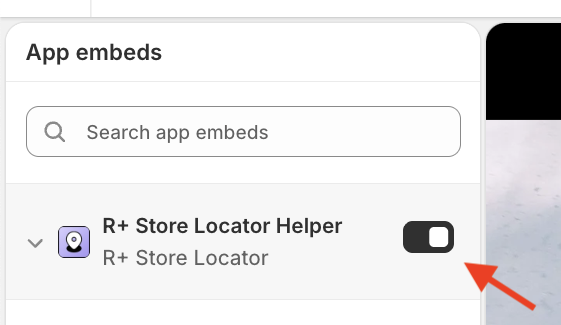
- Click Save.
After saving the changes, window.refactor_apps.store_locator will be available in all JavaScript executed within that theme.
Note: The extension must be activated separately for each theme you want to use it in. If you switch themes, remember to re-enable the embed.
Do you need help?
If you have any questions or run into issues, please contact us — we’re happy to help.